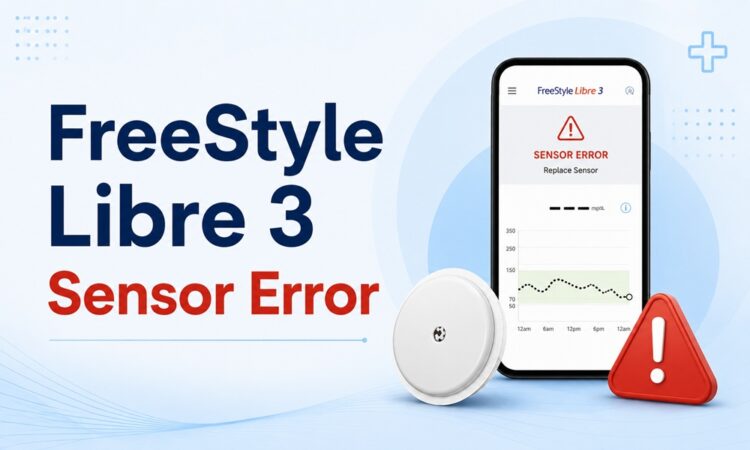
A FreeStyle Libre 3 sensor error means your sensor has paused glucose readings while it runs an internal quality check. Most clear on their own within the time shown on screen. But some signal a failed or recalled sensor that needs replacing right away.
This guide decodes every error message, gives you a fix for each one, and walks you through the safety recall you should check before anything else.
Quick Answer (read this first)
What to do when you see “Sensor error”: Tap the “i” icon to see the wait time. Keep your phone or reader within 20 feet of the sensor. Wait the time shown — readings usually resume automatically. If the message says “Replace sensor,” the sensor has shut down for good and you need a new one. If readings look falsely low, confirm with a fingerstick and check your serial number at FreeStyleCheck.com for the recall.
🆕 What’s new (and not in most guides)
Most troubleshooting pages still treat this as a simple “wait and rescan” problem. Here’s the fresh, higher-stakes context they leave out:
- There is an active safety recall. Abbott issued an Urgent Medical Device Correction for a subset of Libre 3 and Libre 3 Plus sensors that can read falsely low. The U.S. FDA classified it as a Class I recall — its most serious category.
- The scale is large. Roughly 3 million U.S. sensors were involved. As of January 7, 2026, the FDA recall notice listed 860 serious injuries and 7 deaths tied to the issue.
- Regulators pushed back on Abbott. The FDA issued a warning letter citing quality-system problems at Abbott’s Alameda, California facility, including releasing finished sensors without final accuracy testing.
- Only some sensors are affected — from a single production line. Readers, apps, Libre 2, and Libre 2 Plus are not part of this recall.
- “Sensor error” and “Replace sensor” are not the same thing. One is a temporary pause. The other is a permanent shutdown. Knowing the difference saves you a wasted call to support — and a wasted sensor.
We’ll cover each of these in plain language below.
What Does “Sensor Error” Actually Mean on the Libre 3?
Your Libre 3 sensor runs continuous quality checks in the background. When something looks off, it pauses your glucose readings instead of showing a number it doesn’t trust.
That pause is the “Sensor error” message.
In most cases, the sensor passes its next check and readings come back on their own. The screen tells you roughly how long to wait — tap the “i” symbol for details.
It helps to think of it in two buckets:
- Temporary pause → “Sensor error,” “Glucose reading unavailable,” “Try again in X minutes.” These usually self-resolve.
- Permanent failure → “Replace sensor,” “Sensor ended.” These mean the sensor is done.
Telling them apart is the single most useful skill for a Libre 3 user. The next section makes it easy.
FreeStyle Libre 3 Error Messages, Decoded
Here’s a plain-English table of the messages you’ll actually see, what each one means, and what to do.
| Error message | What it means | What to do |
|---|---|---|
| Sensor error | Readings paused during a routine quality check. | Tap “i” for the wait time. Stay near the sensor. Wait — it usually resumes. |
| Replace sensor | The sensor failed a quality check and shut itself down for safety. It will not restart. | Remove it and apply a new sensor. If it failed before its full wear period, request a free replacement. |
| Glucose reading unavailable | The system can’t show a number right now (often temperature or a brief glitch). | Wait about 10 minutes and check again. Move out of extreme heat or cold. |
| Sensor too hot / too cold | The sensor or phone is outside its safe temperature range. | Move to a normal-temperature room. Let it adjust, then recheck. |
| Scan failed / try again | The reader or phone wasn’t close enough or didn’t connect. | Hold the reader within ~1.5 inches (4 cm) of the sensor and rescan. |
| Signal loss | No data received from the sensor for ~20 minutes. | Bring your phone within 20 feet of the sensor. Keep Bluetooth on. |
| Sensor not starting / “Try again in 60 minutes” | The sensor is still warming up. | Wait the full 60-minute start-up. Don’t scan early. |
| New sensor detected / sensor already in use | You scanned a new sensor before the old one ended, or started it on a different device. | Use the device that started the sensor. Or confirm the switch to the new one. |
| Check sensor | Possible adhesion or contact issue, or a defective unit. | Press the sensor edges down firmly. If it repeats, the sensor may be faulty — contact support. |
| Sensor ended | The wear period is complete. | Apply and start a new sensor. |
Good to know: The standard Libre 3 sensor lasts 14 days. The Libre 3 Plus lasts 15 days. A “Sensor ended” message at that point is normal — not a fault.
How to Fix a FreeStyle Libre 3 Sensor Error (Step by Step)
When a “Sensor error” or scanning problem appears, work through these in order. Stop as soon as readings return.
- Tap the “i” icon and note the wait time the app gives you.
- Stay close. Keep your phone or reader within 20 feet of the sensor, with Bluetooth on.
- Wait it out. Many sensor errors clear on their own within the time shown. Don’t panic-scan.
- Press the sensor down. Firmly smooth the adhesive edges in case it’s lifting.
- Restart the app or reader. Close the Libre app fully, reopen it. Or power the reader off for a minute, then on.
- Restart your phone. This clears Bluetooth hiccups that block sensor communication.
- Check for updates. Update the Libre / Libre 3 app and your phone’s operating system.
- Confirm with a fingerstick if a reading looks wrong before you act on it.
- Give it up to 3–4 hours. A sensor that errors briefly and recovers is usually fine.
- Replace or call support if the error lasts longer or keeps returning across sensors.
Phone settings that quietly cause errors
On Android, aggressive battery settings can cut the app off from the sensor. A quick fix:
- Go to Settings → Apps → Libre 3 → Battery and set it to “Don’t optimize.”
- Turn off Battery Saver and Data Saver while using the app.
- Make sure notifications and alarms are enabled so you don’t miss alerts.
On iPhone, the Locked and Hidden Apps feature can hide glucose alarms. Keep the Libre app out of that folder.
Why Does My Libre 3 Keep Saying Sensor Error?
A one-off error is normal. A repeating error points to a root cause. Here are the usual suspects.
1. Poor application or a lifting edge
Oil, sweat, lotion, or hair under the adhesive weakens contact. Clean the site with plain soap and water, dry fully, and avoid lotions before applying.
2. Compression lows (the most misread “error”)
If you sleep on the sensor or press it under tight clothing, you squeeze the tissue around it. That can trigger a falsely low reading or an error.
The fix is simple: don’t sleep on the sensor arm, and avoid tight sleeves over the site.
3. Temperature
Saunas, hot showers, cold weather, and direct sun can push the sensor out of range and pause readings. Let it return to a normal temperature.
4. Bluetooth and phone interference
Multiple devices paired at once, an outdated OS, or distance from the sensor all break the connection. Keep one device paired and stay in range.
5. The warm-up window
The first 12–24 hours on a new sensor can be less accurate as your body adjusts. This is expected, not a defect.
6. A genuinely defective or recalled sensor
Some sensors simply fail. And right now, a specific batch is under recall. If the same problem repeats across multiple sensors, suspect the hardware — and check your serial numbers.
⚠️ Check the Recall Before Anything Else
This is the part most older guides miss. If your Libre 3 is reading low when you feel fine, or erroring often, verify the recall first.
What happened
Abbott initiated an Urgent Medical Device Correction for certain FreeStyle Libre 3 and Libre 3 Plus sensors that may report glucose lower than your actual blood level. The FDA classified it as a Class I recall — the most serious type, used when a device may cause serious injury or death.
The defect was traced to a single production line. Abbott says it has identified and fixed the cause.
How serious is it?
- About 3 million U.S. sensors were involved (Abbott estimates roughly half were already used or expired).
- As of January 7, 2026, the FDA notice listed 860 serious injuries and 7 deaths associated with the issue.
- The FDA later issued Abbott a warning letter over quality-system violations at its Alameda, California plant.
What is NOT affected
Libre 3 readers, the apps, and the entire Libre 2 / Libre 2 Plus / Libre 14-day / Libre Pro range are not part of this recall.
How to check your sensor in 2 minutes
- Find your serial number.
- In the app: Menu → Profile → About → “Last 3 Sensors.”
- On the reader: Settings → System Status → System Info.
- On the box: the label on the applicator or carton.
- Go to FreeStyleCheck.com and select “Confirm Sensor Serial Number.”
- Enter the serial number. The site tells you instantly if it’s affected.
If your sensor is affected
- Stop using it immediately and dispose of it.
- Use fingerstick testing for treatment decisions until a replacement arrives.
- Request a free replacement through FreeStyleCheck.com — replacements come from Abbott, not the pharmacy.
- Call Abbott at 1-833-815-4273 (7 days a week, 8 a.m.–8 p.m. ET) with questions.
Safety first: Never make an insulin or carb decision on a reading you don’t trust. When the sensor and how you feel disagree, the fingerstick wins.
“Sensor Error” vs False Low Readings: Know the Difference
These two problems feel similar but need different responses.
| Sensor error | False low reading | |
|---|---|---|
| What you see | Readings paused; “Sensor error” or “Replace sensor” | A real number that’s wrong (e.g., 48 when you feel fine) |
| Likely cause | Quality check, range, warm-up, defect | Compression, lag, dehydration, recalled sensor |
| First move | Wait / rescan / restart | Fingerstick to confirm, check recall |
| Risk | Missing data for a while | Acting on a wrong number — the bigger danger |
The key takeaway: a paused reading is annoying. A wrong reading is dangerous. Always confirm an unexpected low with a fingerstick before you treat it.
What Real Users Say (Experience From the Community)
Beyond the manual, patient communities reveal the patterns Abbott’s FAQ won’t. Here’s what shows up again and again across Reddit, Quora, and the Mayo Clinic Connect forums.
- The 3 a.m. false-low alarm. Multiple users describe being jolted awake by a low alert near 55 mg/dL, only to fingerstick in the normal range. A common frustration: losing trust in nighttime numbers and dreading the alarm.
- “It’s only the last few sensors.” People who wore Libre 3 for months without trouble report a sudden run of sensors that error or read low after about five minutes — a classic sign of a bad batch, not user error.
- The recall, confirmed by patients. On Mayo Clinic Connect, one long-time user reported a dozen defective sensors over several months, most reading roughly 50 points low, and credited the flood of user complaints with pushing Abbott to find the faulty production line. Replacements were sent free, including shipping.
- Side sleepers struggle most. A recurring theme: errors and false lows cluster on the arm people sleep on. Switching sides — or rotating the sensor to the other arm — fixes it for many.
- Long support waits. Several users mention 30-minute-plus hold times when calling in. Using Abbott’s online sensor support request form is often faster than the phone.
The practical lesson from the community: keep a short log of when errors happen. Patterns (always at night, always on one arm, always with one lot number) point straight at the cause — and make your replacement request airtight.
When to Replace vs When to Wait
Use this quick decision guide.
| Situation | Wait | Replace |
|---|---|---|
| “Sensor error,” first time, short wait shown | ✅ | |
| Error clears within a few hours | ✅ | |
| “Replace sensor” message | ✅ | |
| Same error across multiple sensors | ✅ | |
| Serial number flagged on FreeStyleCheck.com | ✅ (stop using now) | |
| Readings 30+ mg/dL off fingerstick, past 24 hrs | ✅ | |
| First 12–24 hrs, slightly off readings | ✅ |
If a sensor fails before its 14- or 15-day wear period, you’re usually entitled to a free replacement — recall or not.
How to Prevent FreeStyle Libre 3 Sensor Errors
A few habits cut errors dramatically.
- Prep the skin. Wash, dry, and (if needed) shave the site. Skip lotion and oil.
- Pick a good spot. Use the back of the upper arm. Avoid scars and very lean or very fatty areas.
- Secure it. Use an overpatch or medical tape if it tends to lift — especially during sport or sleep.
- Protect it at night. Don’t sleep on the sensor arm. Rotate sites between sensors.
- Keep the phone close and Bluetooth on; whitelist the app from battery optimization.
- Stay updated. Keep the app and your phone’s OS current.
- Hydrate. Dehydration thins interstitial fluid and can skew readings.
- Always have a spare sensor and a fingerstick kit on hand.
When to Contact Abbott or Your Doctor
Contact Abbott support if:
- You get “Replace sensor” before the wear period ends.
- The same error repeats across multiple sensors.
- Your serial number is flagged in the recall.
Contact your doctor or seek urgent care if:
- Readings are consistently 30+ mg/dL off your fingerstick.
- You have symptoms of a severe low or a persistent high over 250 mg/dL.
- You notice signs of diabetic ketoacidosis (DKA).
Sensor problems are a tech issue. Your health is not — when in doubt, treat what your body and a fingerstick tell you, and loop in your care team.
Frequently Asked Questions
Why does my FreeStyle Libre 3 keep saying “sensor error”? It’s running a quality check and pausing readings. Repeated errors usually point to adhesion, Bluetooth, temperature, compression, or a defective or recalled sensor.
What’s the difference between “Sensor error” and “Replace sensor”? “Sensor error” is a temporary pause that often clears itself. “Replace sensor” is a permanent shutdown — you need a new sensor.
How long does a Libre 3 sensor error last? Usually minutes to a couple of hours. If it persists beyond 3–4 hours or keeps returning, replace the sensor or contact support.
My Libre 3 reads low but I feel fine. What do I do? Confirm with a fingerstick before treating. Check for compression (sleeping on it) and verify your serial number at FreeStyleCheck.com for the recall.
Can I restart a Libre 3 sensor after an error? No. Unlike some older systems, the Libre 3 can’t be restarted once a sensor ends or shuts down. Apply a fresh one.
How do I get a free replacement sensor? Use Abbott’s online sensor support request form, FreeStyleCheck.com (for recalled units), or call 1-833-815-4273. Early failures are typically replaced at no cost.
How accurate is the FreeStyle Libre 3? In clinical testing it performs well, with a MARD generally in the 8–10% range. Small gaps from a fingerstick are normal; large, repeated gaps are not.
Is my sensor part of the recall? Only a subset from one production line is affected. Check your serial number at FreeStyleCheck.com to know for sure. Readers, apps, and Libre 2 products are not affected.
Why is my new Libre 3 sensor not reading? It likely needs the full 60-minute warm-up. Wait, don’t scan early, and stay within range.
Does temperature cause Libre 3 sensor errors? Yes. Hot showers, saunas, cold weather, and direct sun can pause readings. Move to a normal temperature and recheck.
This article is for general information and is not medical advice. Glucose monitoring decisions should be made with a licensed healthcare professional.